If your outreach target is small — under 400 prospects per month — one LinkedIn account may be enough. If you want to reach higher prospect volume or book meetings consistently, you'll likely need more capacity, better structure, and often multiple accounts.
This guide explains the logic and links to the free calculator.
How many LinkedIn accounts do I need?
The number of LinkedIn accounts you need depends on three things: how many prospects you want to contact, how many invites one account can safely send, and your conversion expectations.
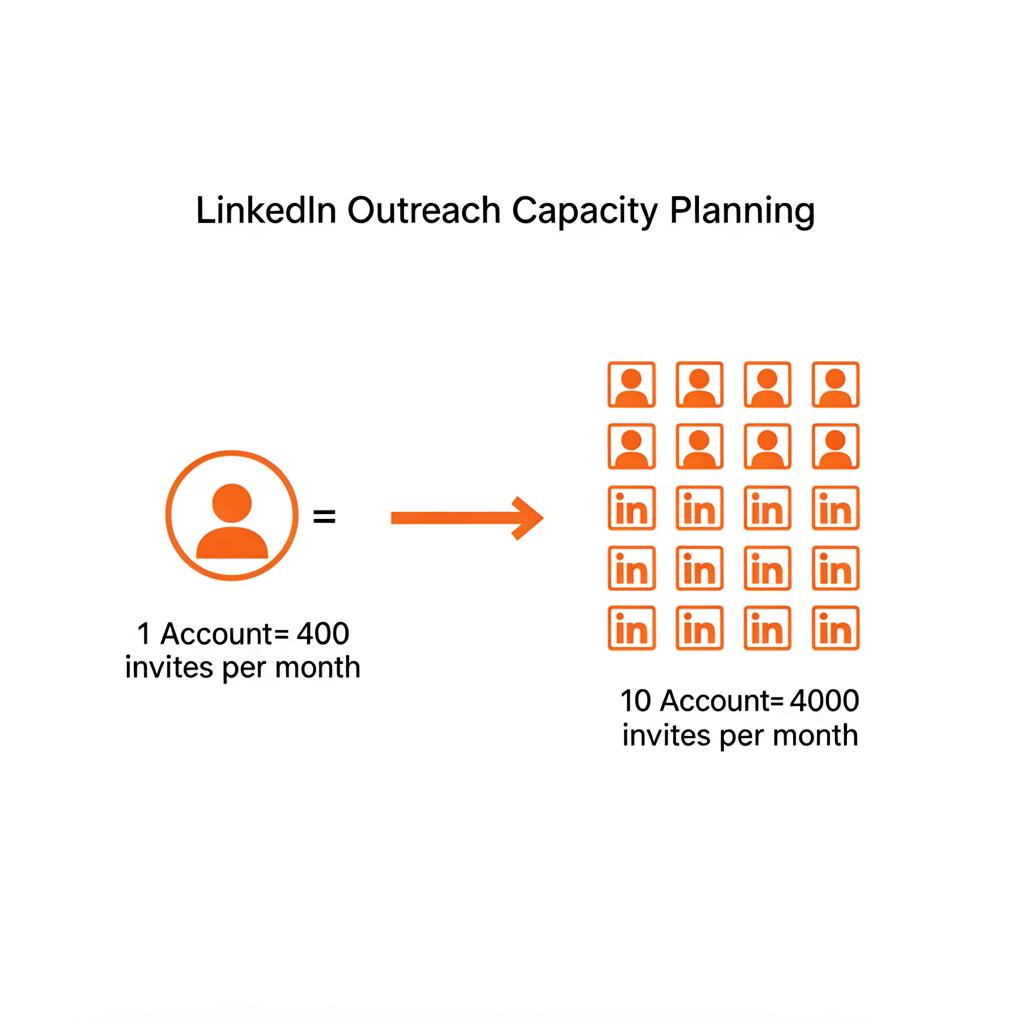
A commonly used safe limit is around 100 invites per week per account, which translates to roughly 400 invites per month. If your target is 2,000 prospects per month, you'd need at least 5 accounts — and realistically 6–7 with a planning buffer.
The exact number varies based on your acceptance rate, reply rate, and what downstream outcomes you're trying to achieve (such as meetings or replies).
Is one LinkedIn account enough for outbound?
For small-scale outreach — fewer than 400 prospects per month — one account can be enough, especially if your targeting is tight and your messaging converts well.
However, relying on a single account creates a single point of failure. If that account gets restricted, your entire outreach pipeline stops.
Most teams that take outbound seriously plan for at least 2–3 accounts — even at lower volumes — to maintain consistency and reduce risk.
What affects how many LinkedIn accounts you need?
Several factors influence the number of accounts you need:
- •Outreach target — how many prospects you want to contact each month.
- •Invites per account — the safe number of invites one account can send (typically ~100/week).
- •Acceptance rate — what percentage of invites get accepted. Typical: 25–40%
- •Reply rate — how many accepted connections respond. Typical: 5–15%
- •Meeting booking rate — what share of replies convert to meetings. Typical: 10–20%
- •Safety buffer — extra capacity to handle restrictions or fluctuations.
Practical scenarios
1,000 prospects per month
At 400 invites per account, you'd need a minimum of 3 accounts. With a 15% buffer: 3–4 accounts.
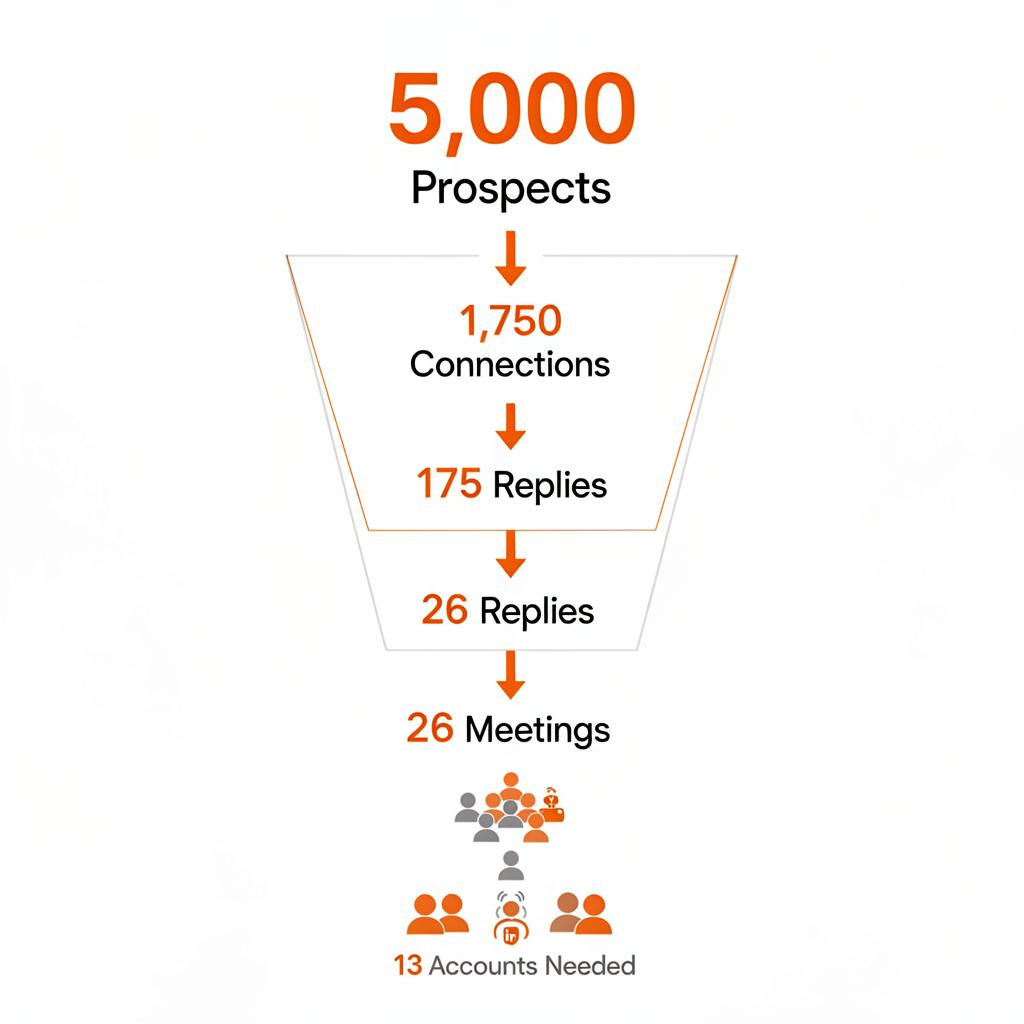
5,000 prospects per month
Minimum 13 accounts. With a 15% buffer: 15 accounts recommended.
20 meetings per month
Working backward: ~133 replies → ~1,333 accepted connections → ~3,810 invites. Result: 12–14 accounts.
These are planning estimates using typical assumptions (35% acceptance, 10% reply, 15% booking rate). Actual results depend on targeting, messaging, and account quality.
What does a typical LinkedIn outreach funnel look like?
A LinkedIn outreach funnel typically follows four stages, each with a conversion drop-off:
- 1. Invites sent — connection requests sent to target prospects.
- 2. Accepted connections — prospects who accept. Typical: 25–40%
- 3. Replies — people who respond to your message. Typical: 5–15%
- 4. Meetings booked — replies that convert to a call. Typical: 10–20%
Understanding this funnel helps you estimate not just how many accounts you need, but what outcomes to expect at each stage.
How to estimate LinkedIn outreach capacity
You can estimate capacity by combining how many invites one account can send with your expected conversion rates.
The simplest formula:
For example, to reach 2,000 prospects with 400 invites per account and a 15% buffer:
If you're planning based on a meetings target, work backward through the funnel — start from meetings, then calculate replies, connections, and invites needed.
Use the free calculator
Instead of doing the math manually, use the free LinkedIn Account Calculator. Enter one number — your target prospects or meetings — and get an instant estimate with a full funnel breakdown.
When outbound starts needing more infrastructure
At lower volumes — under 1,000 prospects per month — outbound can often be managed with a few personal accounts and basic tooling.
As targets grow beyond 2,000–5,000+ prospects, the operational demands change. You start needing:
- •Multiple warmed accounts with consistent sending history
- •Proxy infrastructure for each account
- •Instant replacement when an account gets restricted
- •Ongoing account maintenance and monitoring
This is the point where managed account infrastructure — like what Flygen provides — starts to make operational sense.
Need the account setup ready to go?
Flygen helps teams run this setup without building it yourself — warmed accounts, replacements, and infrastructure included.
Frequently asked questions
How many LinkedIn accounts do I need?
It depends on your outreach volume. At ~400 safe invites per account per month, most teams need between 3 and 15 accounts depending on their target.
Is one LinkedIn account enough for outbound?
For small-scale outreach under 400 prospects/month, one account may work. For higher volume, multiple accounts reduce risk and increase capacity.
How many prospects can one LinkedIn account handle per month?
Safely, around 100 invites per week or ~400 per month. Going higher increases the risk of restrictions.
How many accounts do I need for 5,000 prospects?
At 400 invites per account with a 15% buffer, you'd need about 15 accounts.
How many accounts do I need for 20 meetings per month?
Working backward through typical funnel rates (35% acceptance, 10% reply, 15% booking), about 12–14 accounts.
What affects how many accounts I need?
Your outreach target, invites per account, acceptance rate, reply rate, and meeting conversion rate all influence the number.
Are these numbers exact or planning estimates?
These are planning estimates. Actual results depend on targeting, messaging, workflow, and account quality.
Why does the calculator show a range?
Because outreach performance varies. A range with a safety buffer gives you a more realistic planning estimate.
Can I adjust the assumptions?
Yes. The calculator lets you adjust invites per week, acceptance rate, reply rate, booking rate, and safety buffer.